Version: 1.0.0-buildweek
Software that investigates before it recommends.
Analytics Workstation is an evidence-governed AI investigation platform for analytical work that cannot be reduced to a dashboard, notebook, report, or one-shot AI answer.
Most AI tools answer the question.
Analytics Workstation answers the harder one:
Why should I believe this?
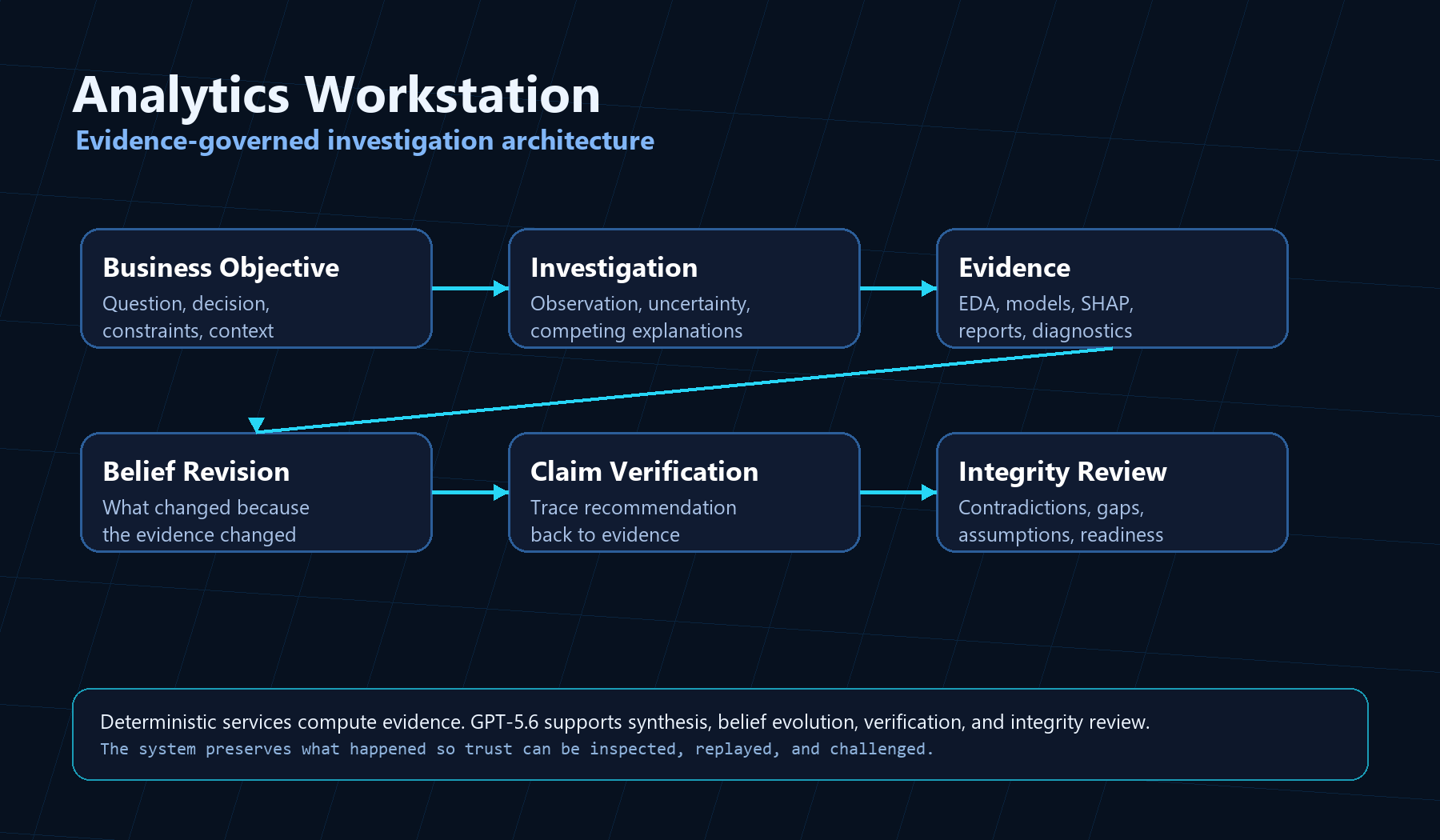
It helps move from a business objective to a decision-ready recommendation by preserving the investigation itself: what was observed, what remained uncertain, which explanations competed, what evidence was gathered, how beliefs changed, which claims were verified, and why the final recommendation deserves trust.
Analytics Workstation does not just produce answers. It conducts transparent investigations that can revise their conclusions as evidence accumulates, then critique their own recommendations before asking for trust.
This project is both a software product and a documented experiment in AI-assisted software engineering.
Judge This In 90 Seconds
- View the investigation exhibits.
- Run the deterministic Build Week mock demo.
- Ask
Why should I believe this? - Open the Report Browser and inspect the preserved evidence.
Where The AI Operates
| Actor | Responsibility |
|---|---|
| Human | Defines objectives, reviews evidence, decides whether to act |
| GPT-5.6 | Frames investigations, selects bounded tools, synthesizes evidence, explains belief changes, verifies claims |
| Deterministic Tools | Produce EDA, regression, SHAP, validation, reports, replay artifacts |
| Analytics Workstation | Preserves provenance, investigation state, evidence lineage, replay, integrity review |
Investigation Loop
Objective -> Uncertainty -> Competing Explanations -> Evidence -> Belief Revision -> Claim Verification -> Integrity Review -> Decision Readiness
Evidence Exhibits
These figures combine product captures and curated evidence exhibits. They are not decoration; each one shows a distinct part of the investigation loop the product preserves.
Figure 1 - The Investigation Begins
The Build Week demonstration starts with uncertainty, not a conclusion: an objective, readiness checks, competing explanations, and an explicit evidence plan.
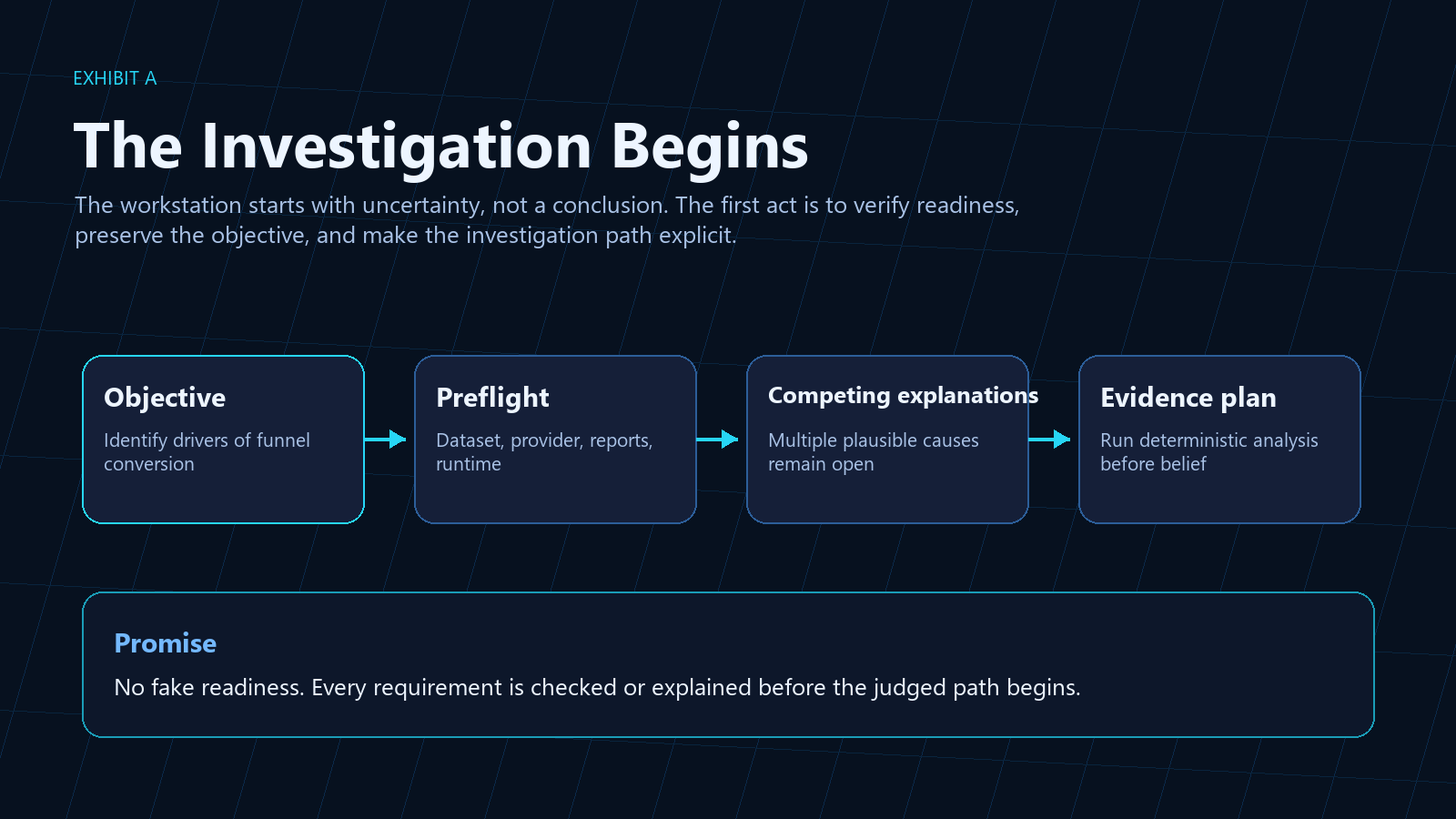
Figure 2 - Belief Revision
The recommendation is allowed to change because the evidence changed.
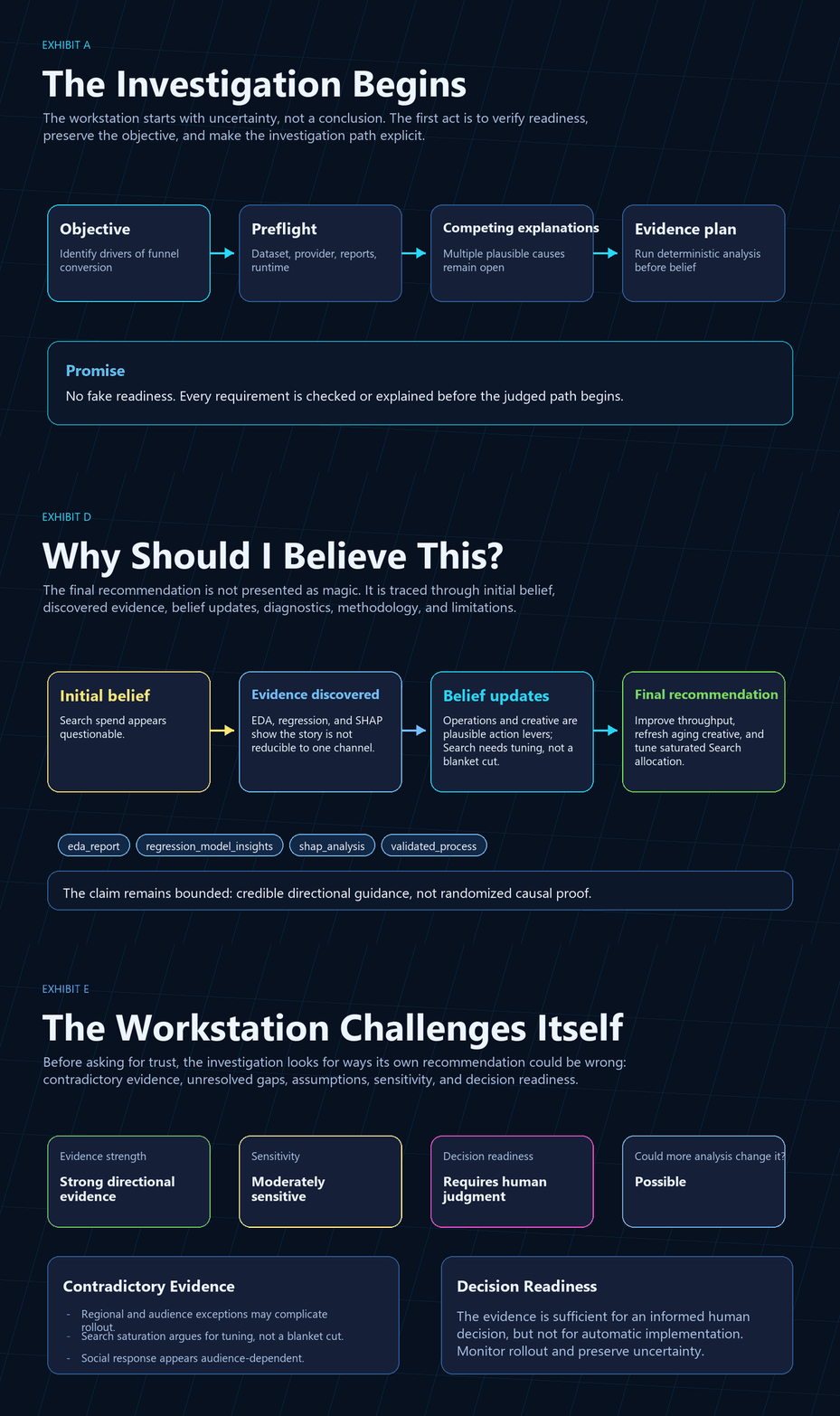
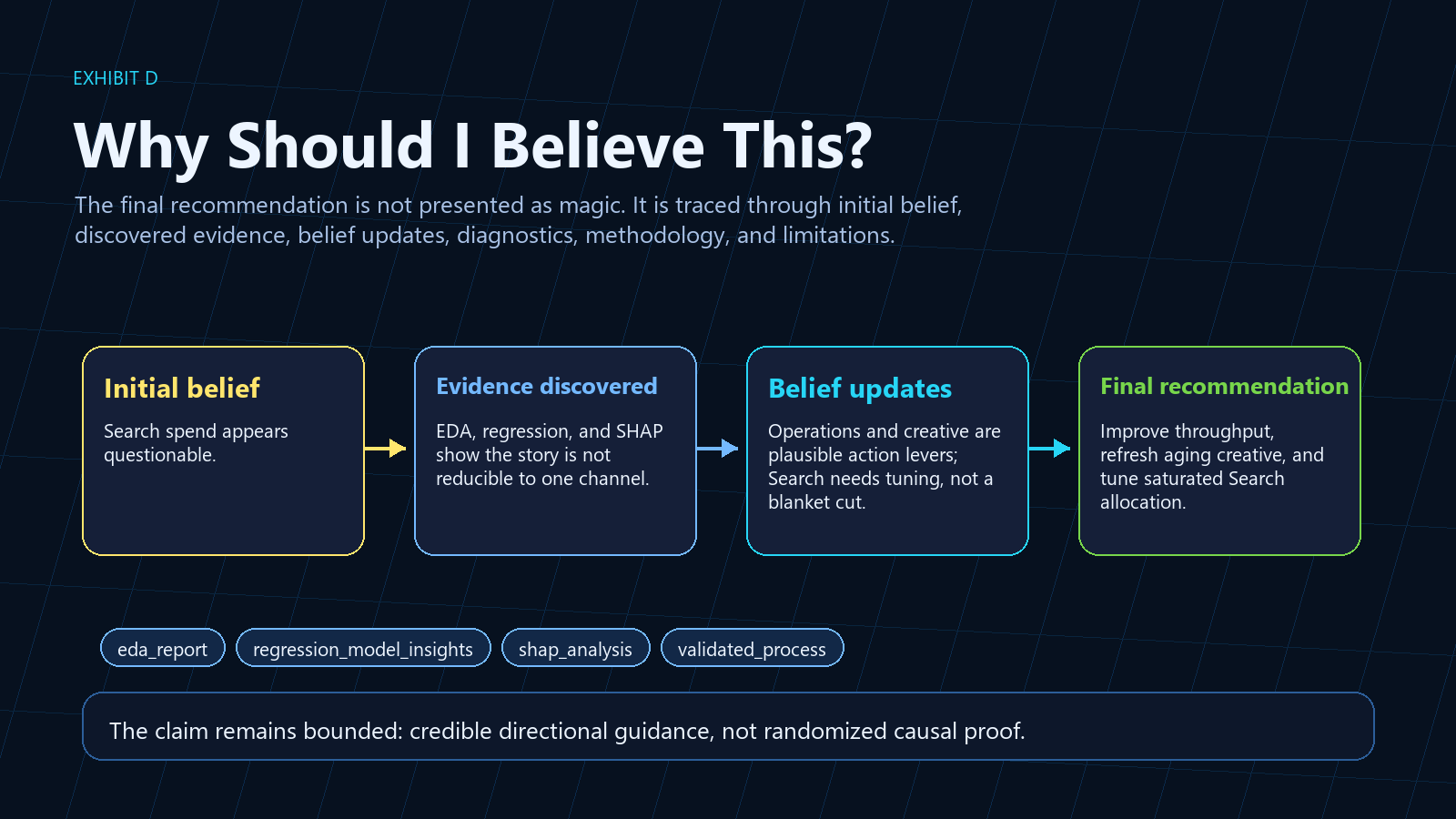
Figure 3 - Claim Verification
The system can answer why a final claim deserves belief by tracing it through evidence, diagnostics, methodology, and limitations.
What The Build Week Demo Shows
The Build Week demo is a focused investigation over a deterministic synthetic enrollment-growth dataset.
In a few minutes, the viewer should see:
- A business objective become a governed investigation.
- The system record uncertainty before recommending action.
- Competing explanations remain visible.
- Deterministic analytics generate evidence.
- The recommendation change as evidence changes.
- The final claim verified against evidence.
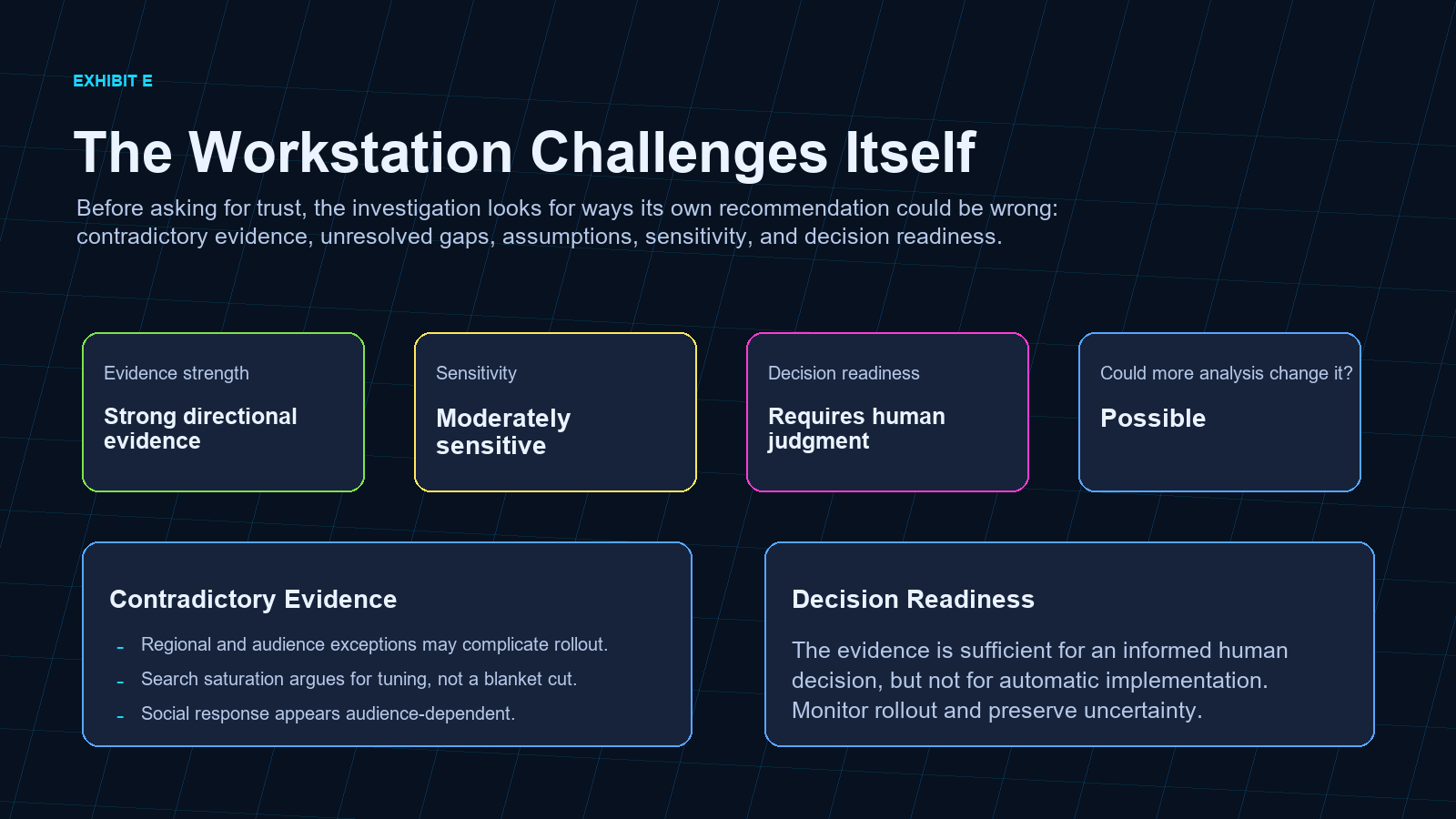
- The workstation challenge its own conclusion.
- Decision readiness stated transparently.
What GPT-5.6 Does
GPT-5.6 is used where probabilistic synthesis is useful:
- investigation framing;
- semantic synthesis;
- belief-evolution narrative;
- recommendation evolution;
- claim verification;
- integrity-review explanation.
It is not used to invent evidence or replace deterministic analytics.
Deterministic services remain responsible for data generation, EDA, regression diagnostics, SHAP evidence, validation, replay, report-contract construction, and QA.
Why Engineers Should Care
- Deterministic analytical services generate the evidence.
-
ReportContractobjects separate analytical meaning from rendering. - Provenance records producing functions, package paths, and artifact identities.
- Replay reconstructs the investigation state without rerunning the analysis.
- Agent actions are bounded by registered tools, preflight checks, and approvals.
- Demo-critical fallbacks are tested and rejected instead of silently substituting plausible output.
Why It Is Different
| Traditional analytics | LLM dashboards | Analytics Workstation |
|---|---|---|
| Shows metrics and outputs | Adds natural-language summaries | Preserves the investigation path |
| Often hides rejected explanations | Explains whatever context is pasted in | Tracks competing explanations explicitly |
| Produces static recommendations | Produces fluent answers | Revises recommendations as evidence changes |
| Separates reports from evidence | Summarizes artifacts after the fact | Links claims back to evidence |
| Leaves trust to the presenter | Can sound confident without proof | Performs skeptical integrity review before action |
The product is not trying to make analytics feel magical. It is trying to make analytical reasoning visible, governed, and reusable.
The Story Behind The Product
The repository is also evidence from a development experiment.
As AI-assisted implementation made many coding steps cheaper, the project repeatedly spent that savings on harder questions about evidence, governance, representation, trust, product experience, and architectural coherence.
Read the canonical historical narrative:
For the longer development record, see:
Build Week Demo Path
Run the app, then open:
More -> Build Week DemoFor deterministic rehearsal, select Mock rehearsal. This exercises the same app contracts without a paid provider call.
For a live GPT-5.6 path, set:
$env:OPENAI_API_KEY="sk-..."
$env:ANALYTICS_GENAI_PROVIDER="openai"
$env:ANALYTICS_GENAI_MODEL="gpt-5.6"
Then run:
Run PreflightLaunch DemoWhy should I believe this?Report BrowserReplayReset
Run Locally
For the installed-package path:
install.packages("release/AnalyticsShinyApp_1.0.0.tar.gz", repos = NULL, type = "source")
library(AnalyticsShinyApp)
run_workstation()
For source-tree development from the repository root:
shiny::runApp(".")Or from PowerShell:
The app performs startup dependency checks before loading the Shiny UI.
Install On Windows
For the normal Windows desktop workflow, run the installer from the repository root. This installs the R package, prepares the Electron shell when Node.js/npm are available, and creates a Start Menu launcher:
For a Desktop shortcut:
The installer:
- installs R dependencies and sibling first-party packages;
- installs the
AnalyticsShinyAppR package; - launches from installed package resources rather than copied developer source;
- prepares the Electron shell when Node.js and npm are available;
- creates a Start Menu launcher;
- runs package and distribution diagnostics.
Run The Electron Desktop App
After installation, launch the desktop app from:
Start Menu > Analytics WorkstationOr run the installed Electron launcher directly:
The main launcher is:
It opens Electron when Electron dependencies are installed. If Electron is not available, it falls back to the browser launcher so the workstation still opens.
To intentionally run the browser version:
If Chrome or your default browser opens, you are using the browser fallback path rather than the Electron shell.
Installed app assets live under:
R package library: AnalyticsShinyApp/appUser projects, exports, logs, cache, and runtime state live under:
%LOCALAPPDATA%\AnalyticsWorkstation\See:
Installation And Dependencies
The Windows installer is preferred for end-user setup. For local development or after switching R versions, run the dependency installer directly:
Core R packages required for startup:
AutoPlotsAutoQuantdata.tableecharts4rhtmltoolshtmlwidgetsopenxlsxshiny
The dependency installer reads DESCRIPTION, installs declared CRAN packages with recursive dependencies, then installs first-party ecosystem packages from sibling repositories when available:
../AutoPlots../AutoQuant../AutoNLS../Rodeo
If a sibling repository is not available, the installer falls back to the canonical GitHub repository for that package and fails loudly if any required first-party capability remains unavailable. This is the preferred path after switching R versions, refreshing sibling repositories, or validating a fresh machine.
Install released CRAN dependencies:
install.packages(c("shiny", "data.table", "echarts4r", "htmltools", "htmlwidgets", "openxlsx"))Install the local ecosystem packages:
install.packages("remotes")
remotes::install_github("AdrianAntico/AutoPlots")
remotes::install_github("AdrianAntico/AutoQuant")
remotes::install_github("AdrianAntico/AutoNLS")
remotes::install_github("AdrianAntico/Rodeo")
During local development, use local installs:
remotes::install_local("../AutoPlots")
remotes::install_local("../AutoQuant")
remotes::install_local("../AutoNLS")
remotes::install_local("../Rodeo")
AutoNLS is the optional nonlinear effect-curve backend exposed through SHAP effect-curve controls and executed through AutoQuant when available. It is not required for app startup. If unavailable, the app should keep running and effect-curve paths should degrade explicitly.
Other optional packages used by richer workstation paths include:
-
arrowfor Parquet loading; -
base64enc,png, andchromotefor artifact previews and screenshots; -
callr,mirai, andpsfor async or isolated execution paths; -
commonmarkfor markdown rendering; -
curl,httr, andhttr2for GenAI provider endpoints; -
digestandyamlfor audit, storage, and technical-debt utilities; -
jsonlitefor JSON sidecars, manifests, and runtime bundles; -
reactablefor interactive tables; -
roxygen2andtestthatfor development and QA.
Do not use devtools::load_all() or source internal package files from sibling repositories in production app code. Install package dependencies into the active R library instead.
To check whether the active R runtime sees the expected capability set:
Validation
Useful checks before recording or submitting:
& "C:\Program Files\R\R-4.5.2\bin\Rscript.exe" scripts\run_deterministic_qa.R
& "C:\Program Files\R\R-4.5.2\bin\Rscript.exe" -e "testthat::test_file('tests/testthat/test-build-week-demo.R')"
git diff --check
For release-candidate pushes, use the guarded push path instead of git push:
This mirrors the GitHub Actions release gates before pushing: dependency installation, R CMD check, deterministic QA, pkgdown build, tracked-file cleanliness, and git diff --check.
To install the same gate as a local Git pre-push hook:
An emergency bypass is possible with AW_SKIP_PRE_PUSH=1, but it should be treated as an explicit release-steward exception.
See docs/final_demo_reliability_checklist.md for the full recording gate.
Repository Layout
-
R/: application services, pages, contracts, QA helpers, and orchestration. -
inst/app/: package-installed UI assets, config defaults, and deterministic demo data. -
www/: source-tree mirror of workstation styling, branding, and client assets for development. -
docs/: architecture, demo, product, and submission documentation. -
docs/media/: product captures, evidence exhibits, and browser-recorded videos. -
data/: deterministic Build Week demo data. -
tests/: deterministic testthat coverage. -
scripts/: data generation, validation, and dependency helpers. -
release/: Build Week release candidate artifacts.
Contributor Starting Points
If you are new to the repository, start here:
- docs/architecture_orientation.md
- docs/development_principles.md
- docs/contributor_roadmap.md
- CONTRIBUTING.md
- docs/README.md
Before opening a pull request, run the validation commands in CONTRIBUTING.md and check docs/open_source_readiness.md for known repository-health follow-ups.
Current Scope
The Build Week path is a focused product demonstration, not a claim of general autonomous analysis. It deliberately avoids arbitrary action execution, broad task planning, hidden evidence mutation, and unsupported provider behavior.
That restraint is part of the product philosophy: the workstation should earn trust through transparent evidence, not through unchecked automation.